Friday, March 24, 2023

Week 10- Makerspace

This week we read all about Makerspaces in the classroom. There is no one way to create a makerspace, so many different combinations of materials and activities can go into developing a makerspace for students. A Makerspace, in general, is an area that sparks various hands-on and creative learning experiences for the students. They could involve the use of computers, or they could not. All makerspaces are different. The important similarity they all have is hands-on, creative-thinking, problem-solving aspects. Makerspaces also evolve over time as you determine which materials and projects work best in the classroom. It is good to start small and add projects over time. Many makerspaces include 3D printers, coding on computers, circuitry, and microbots (like Sphero). All of these and many others give students unique hands-on learning experiences and help them better understand and operate the technology of the 21st century while also learning the curriculum. Additionally, having makerspace activities engages students more and makes the learning process more fun, increasing their participation and interest. 

Many schools are incorporating some form of makerspace. Some dedicate an entire room of different stations of projects (my mom's school has this). Some have a few things just to use in the classroom. Some have a rolly cart that transfers between classrooms (kind of like a Chromebook cart). Makerspaces can come in all varieties, and there is no right or wrong way to create one. It depends on what works best for the class depending on what they are learning and what is made available. 

Where my mom teaches, one of the older classrooms was remodeled into a Makerspace room. In the room, they have 3D printers, 3D pens (which were really fun to use), vinyl making, various microbots to use, Lego sets, circuitry toys, and animation makers. This entire room was dedicated to hands-on activities and can be reserved by any teacher in the building for their students to use. The room is mainly used as a way for the students and even the teacher to break away from traditional classroom learning and get the kids more engaged and more willing to actively participate. When I was helping my mom on the day they reserved the makerspace, she had her kids in small groups, each table with a different project, and she had them rotate every 15 minutes. That way everyone got a chance to use all the projects for a little while. One group had circuitry toys, one had Legos, and one had a thing to create your own video game (and they would have been able to scan it to play it, but she didn't have them use that part). I thought it was really neat for her school to incorporate that and have many means of activities in the room. I noticed that the class was definitely enjoying their time there (and they immediately asked when they could come back).
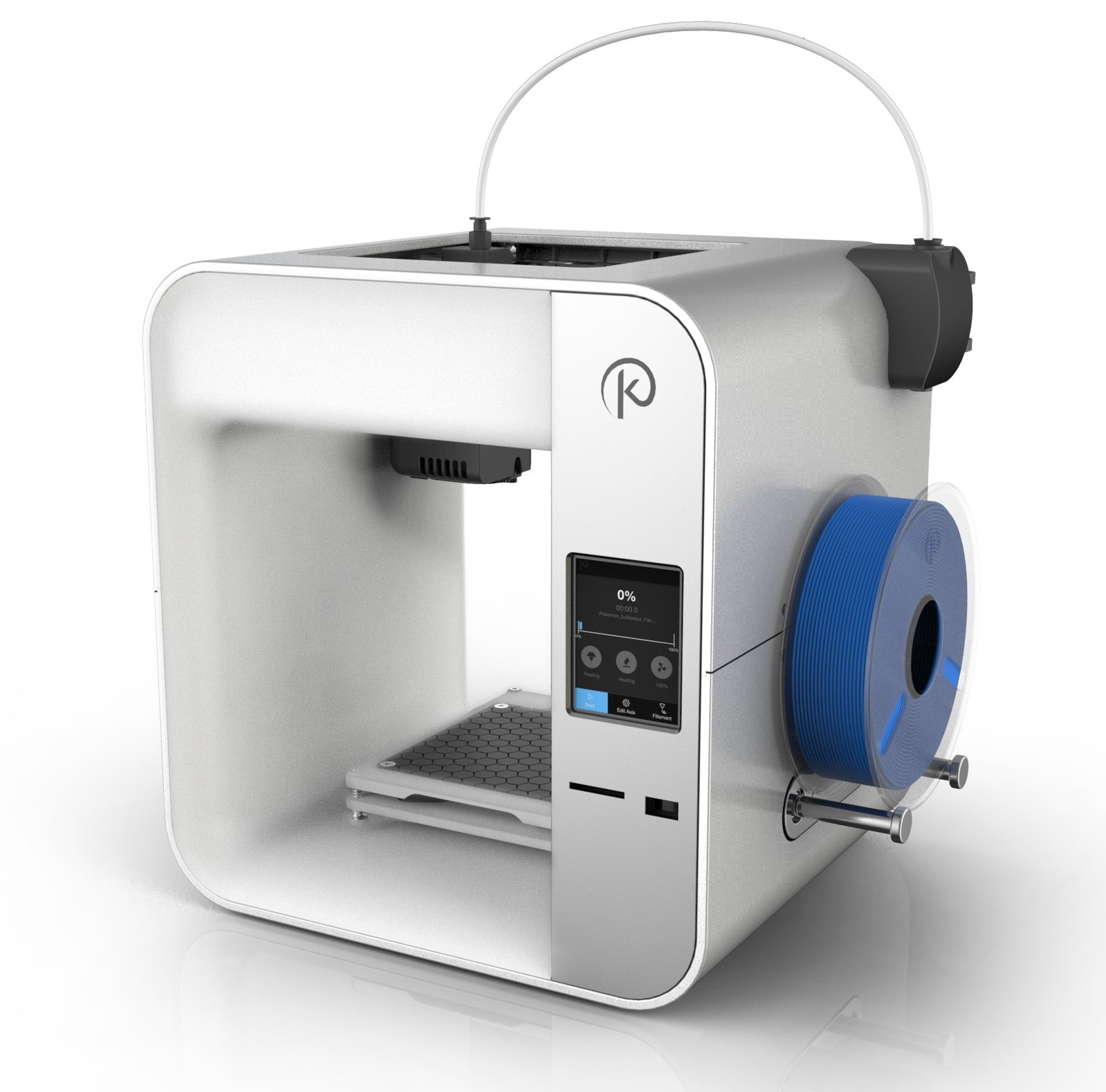
When I start teaching, I will definitely integrate some level of a makerspace for my class. Whether that be one the school already has set up or projects that I would buy. It even mentioned that projects such as building a tower with toothpicks and marshmallows can count as a makerspace project, so even if I started off with something like that and expanded more into the realm of microbots or 3D printing. Honestly, these kinds of things would be fun for me to do along with the kids if I could. Depending on what is released when I start teaching elementary, I will definitely consider these projects and activities.
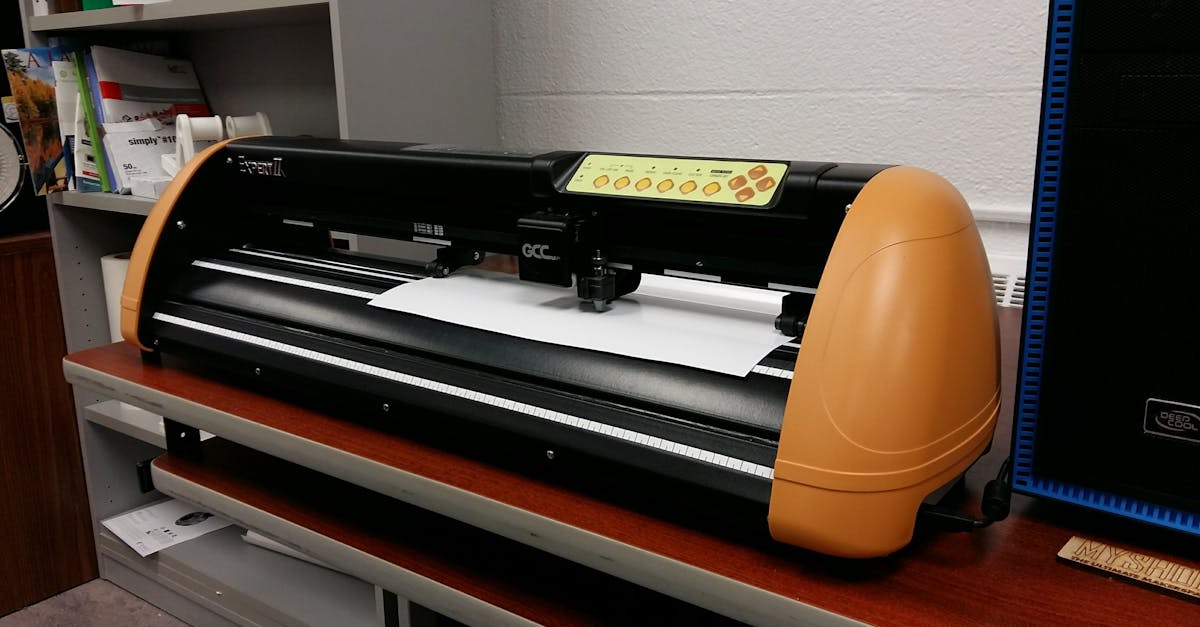
I think the idea of a Makerspace will continue to expand, and more activities that integrate more modern technology will be produced and utilized as time goes on. Right now, we are in the era of coding and 3D printers, but who knows what kinds of things will be made in the future. In a world of expanding technology, this is bound to happen. It amazes me even to see everything they have now as compared to when I was in early elementary school and all we had was the computer lab. Now they have 3D pens and printers, and advanced coding programs, and robots. Definitely something that will continue to expand for generations to come.

Friday, March 17, 2023

Week 9- Gamifying the Classroom

  
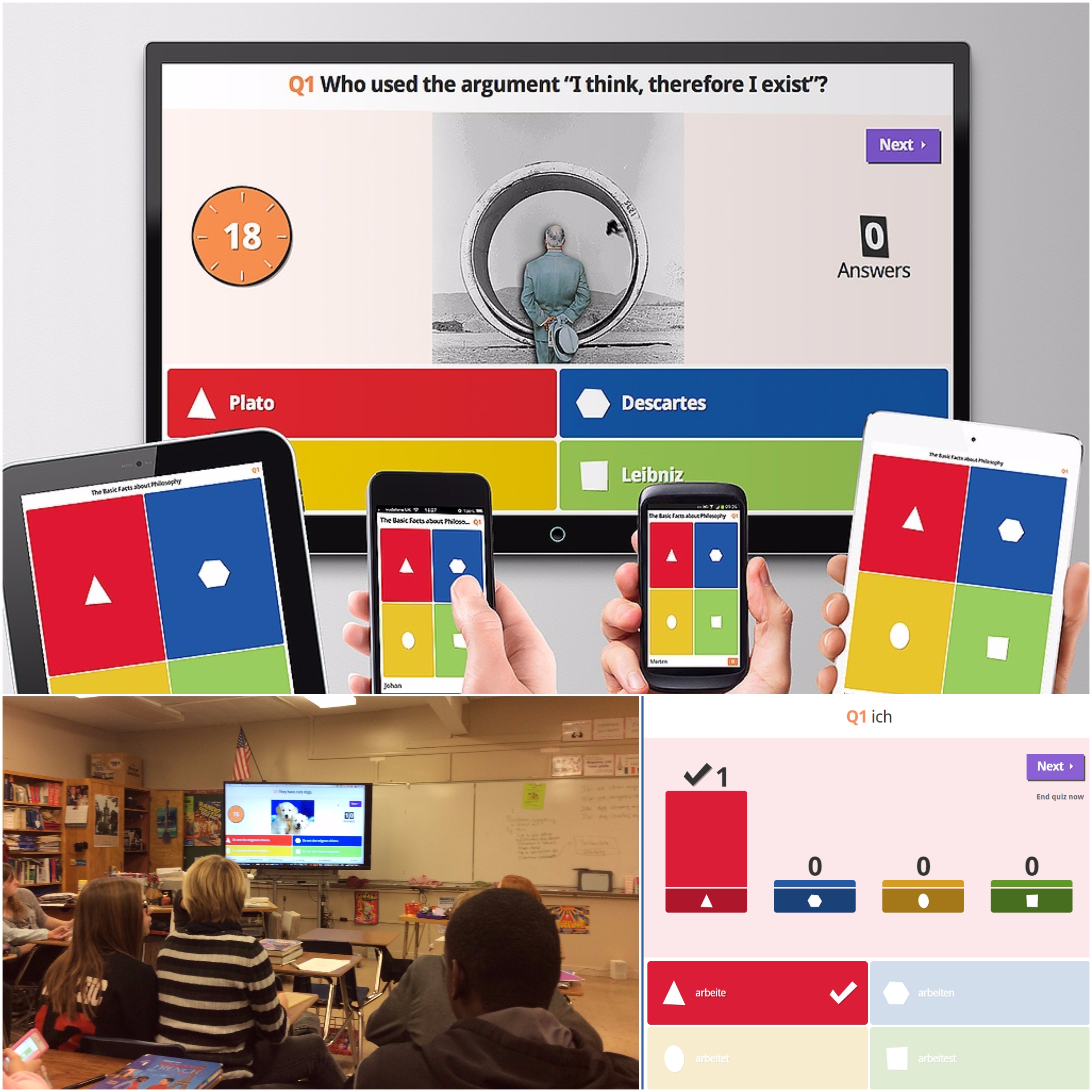
    With the growing of technology in this day and age comes the growth of video games and other online game platforms. With this comes the growth of its integration in schools. Many classrooms turn to online games to be integrated into everyday school in order to present the curriculum in a more engaging and entertaining way. There are many ways in which online games can be made more educational and there are many websites and apps that allow for this. For one thing, making online quizzes makes review more entertaining. Websites such as Kahoot or GimKit allow one to either create or find an already created quiz to allow their students to play on. Some games even review math or language arts curriculum lessons. Prodigy is a game that has math questions for all of the elementary grade levels, and the game allows students to battle and play with their friends, all while having them answer math questions (and there is even a language arts version as well). Another game called Blooket allows for another quiz review but with more gameplay variety (as in different modes to play and answer the questions). All of these websites are great ways to integrate games in an educational way. Kids are more likely to participate and enjoy being in class more if the learning is made fun, and these games do just that.
    Aside from educational quiz-style games, other console and computer games that may not seem educational at face-value actually help develop important life skills. Minecraft is one example. Though it may not seem very educational, it actually has a strong creativity element to it, and when you play with friends it helps to develop communication skills. Problem-solving is another skill that this game helps with. Though these are not curriculum-based skills, they are important life skills. I think it would be useful to have these kinds of games in the classroom at a more limited amount than educational games such as Prodigy, but they can still be used. Everything in moderation.
    Another ongoing trend in this day and age that has made its way up to become scholarship opportunities for some colleges is eSports. eSports are video games played on with peers that improve skills needed for the future job field and overall, just for life in general. eSports has been getting gradually more popular as time goes on, and many sports networks have a separate eSports category because of its popularity. The thing with eSports is that they usually incorporate multiplayer, and lots of people stream them on sites like Twitch. eSports streams have also become increasingly popular, and some people have that as their occupation because of the number of viewers they get and the amount of revenue they get for advertising and sponsoring products. Many universities have also allowed to eSports scholarships. Since eSports help to develop communication, problem-solving, cooperation, and other life-needed skills, scholarships are occasionally offered at some schools to students who want to pursue this. As showcased, eSports have some similar benefits to traditional sports, like cooperation and communication, and the perseverance to keep going forward. 
    I found it very interesting, and even a bit surprising, that some universities award scholarships to those who concentrate in eSports. But I think it's a good idea. As the article I read has said, these kinds of scholarships are for those who do not do as well on SAT or ACT tests. Just like people get scholarships for playing football, track, volleyball, and other physical sports, students can receive scholarships for gaining real-world-needed skills while participating in eSports. I like how this accounts for the diversity of student interests and incorporates video games as a pathway to succeed in life if that's really your passion. 

Thursday, March 2, 2023

Week 8- Social Media in Education

Social Media is taking over the 21st Century, and it's evident. Almost everyone is on some form of social media outlet, whether that be Facebook, Twitter, Instagram, Snapchat, etc. When thinking of these platforms, at face value they don't seem to possess many educational qualities. Especially since a large component is interacting with others online, it seems that there isn't much educational value in them. However, they can be integrated into education programs to help adapt to the changing times. In addition, since many kids are already largely familiar with social media, integrating them appropriately, it would be easy for kids to operate them. The 21st century has seen much rise in technology, devices, and social media, and they are worldwide things that everyone uses for a variety of reasons every single day. Why not fit them into school? The kids would find it more entertaining because it's a platform they enjoy and are used to, it could help with classroom connections amongst students, and it would overall be more modern. I've read from a few articles that some teachers have started up some classroom Twitter accounts to share classroom stories on. They post about what's going on in the classroom so other faulty and parents can stay in the loop. Many other classes use some sort of Blog website where kids can create blog posts that can be read and shared by others of the class. Some schools even have their own Instagram page where users can follow along with campus events. Sometimes setting up group chats with classmates on Messages or even Snapchat can be effective means of communication for group projects. Since the kids are already using those services, they'd be more likely to interact with each other for school means on those platforms. A lot of employers look at LinkedIn profiles of applicants. Or as we use in my Power-Up class, on websites generated by Wix or through conferences on Handshake. Even those are considered social media and are being used for school and beyond purposes.

With the integration of social media in the classroom comes much more to consider. Integrating social media, in my opinion, would not be as beneficial in some grades as it would be in others. For preschool, I do not see much benefit from having the kids use some sort of "social media" for learning. At that age I think they are too young. Even for elementary school it would be hard. I think that having the kids create blogs on a kid-friendly site would be a good idea, but you can't really tell them all to make an Instagram. For middle and high school aged kids I think this would work the best. Many of those students already have Instagram, TikTok, and maybe even Facebook, so as for them to be able to follow along with their school on social media would be beneficial. Or even having all the students have a "book talk" or something along those lines on a social media platform would be a pretty neat integration for those upper grade levels as well. For any social media integration, however, you have to be careful. Review Privacy rules and facts and make sure the kids as well as the teacher are using the platforms wisely and are not putting themselves in danger. Advocate for strong passwords so they don't get hacked and arouse panic. Make sure they are using the platform for school purposes only when in school and that they are using it responsibly. Social media can be a beautiful thing, but if abused could go very wrong, so it's important to be mindful when using it for anything.

Another thing worth mentioning is the benefit that social media integration in school can have on parents. Even for parents of elementary aged children, if the school has a Facebook or something, the parents can get updates and follow along from their device. Having some sort of messaging system (like Class Dojo, which I suppose the messaging feature would kind of be considered social media), parents can communicate with the teacher for matters about their child. Even Zoom can be considered social media, and teachers can set up video conferences with parents (or even with students). This makes distant communication much easier (or if the person is sick and cannot meet in person). 

Overall, social media is not always a bad thing, if used appropriately. Many benefits can come out of using some form of social media or online communication in the classroom. Kids already use it all the time, so why not use it in school too to enhance learning? Kids would probably enjoy it better having it be on platforms they already enjoy, or even just being able to communicate with classroom friends. With the constant changing and improvements of technology it was bound to make its way into the education system, and it has, and social media has done just the same.

Monday, February 27, 2023

Week 7- Accessibility in Teaching with Technology

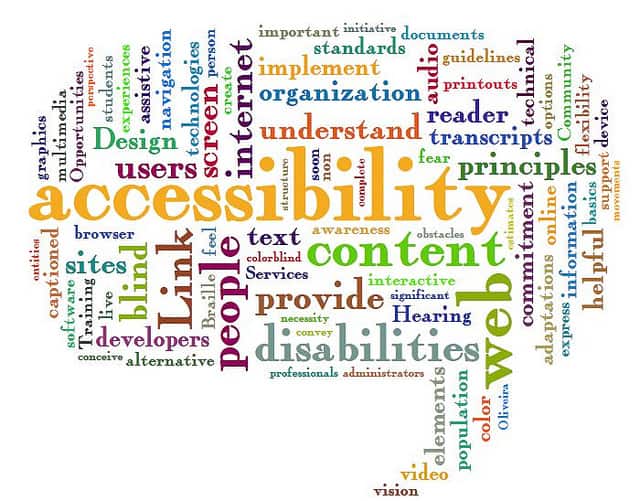
This week we read about accommodating for all students, even those with disabilities, in an online classroom environment or just when providing online resources for a class. Not all students have the ability to hear well, see well, use a mouse well, and many other things, putting them at a learning disadvantage. By accommodating online tools to fit the needs for these students, before they even have to ask for accommodations, is key. 

Some students are deaf or are hard of hearing. This barrier can be overcome by adding Captions to videos that are assigned. Some YouTube videos are auto captioned, but it's important to check the accuracy of these captions. Some videos are not captioned at all, and captions must be put in place to provide equal access to deaf students. If you create your own lecture, you can accommodate to disadvantaged students by inserting your own captions. 

For students that are blind, on-screen reading can be very helpful. In addition to this, you should include captions for images that can also be read aloud to the student. When you design these accommodations in an online lesson, its key to not have links that just say "Click Here" or the URL name because to a deaf student these can be hard to navigate. Use tools that allow you to change the name of a link to make it less confusing and allow blind students to more easily find that particular information and source.

Not all students can operate a mouse, so another important accommodation to include is to allow everything to be accessed with the keyboard. The arrow keys to move from item to item, the Enter button to submit something, and other keyboard sequences would be helpful for those who are unable to use a mouse.

Overall, when designing material in an online format for a course, it's important to not make things too cluttered. Using simple text on a plain background does so much more than mixing all sorts of fonts and colors. It makes it easier to follow and provides less distractions. When structuring an online course, structure each lesson section in a similar manner to provide routine and eliminate confusion. Organization is key, even when online for a class. Good organization of assignments and materials online creates a more user-friendly learning environment, allows students to stay better on task, and overall eliminates confusion. Mixing simplicity with many accommodations provides an even more user-friendly environment for all students regardless of the disadvantages they may have. Online accommodations provide equal access of content to all students and may even be beneficial for those who don't necessarily have a disability. Captions for example, can be used by someone who isn't deaf in order to better follow along with the video and avoid zoning out (that's that I use the captions in videos for, as I like them on). Image Descriptions also can better help clarify an image for someone who isn't necessarily blind. All in all, it's important to consider the needs of all students up front in order to provide equal learning opportunities and eliminate the need to accommodate something every single time a student asks for an accommodation. It's better to have the accommodation set-in-stone in the first place.

Another thing mentioned in the articles is about accommodations for those not necessarily with a physical disability, but for those with learning disabilities as well. Extra Time on tests is something that many students (including myself) need in order to have an equal opportunity. When we were online and had tests, my teachers would usually generate a separate test that gave extra time for me and other students who had 504 Plans that required that accommodation. Definitely another thing to consider when accommodating your online resources for class.

Friday, February 17, 2023

Week 6- Online Learning

With this day and age, and with all the growing technology in society, Online Learning and Online Teaching are definitely things to be considered when entering the teaching field. With the outbreak of COVID-19, many schools had to transition to a fairly unfamiliar online model of teaching, one done at home and away from the actual school building. With this has come many breakthroughs in teaching, such as the use of Zoom and other video messaging platforms to communicate in an educational way. Though things are increasingly becoming more normalized in the world of teaching, online school will always have a role to play when it comes to being a teacher. The integration of Blended Learning, a mixture of traditional classroom styles and online techniques, will continue to be useful. With the transition to virtual learning from the pandemic also came the emergence of optional online courses in place of in-person courses. Many schools offer these classes (such as Lakeland) where students can choose to learn through online platforms and not meet face-to-face consistently. It takes a special skill set to instruct these online courses. One must be fluent in technology in order to operate effectively. One must stay organized digitally and have good communication with students and parents. Since in-person presence is nonexistent in online classes, maintaining good communication and relationships can be more difficult. It is important to utilize individual email when teaching an online class, and to always check for updates. Take advantage of email and other online tools when establishing good connections with students through computers. Staying organized is also key both for yourself and for students. Being disorganized can lead to confusion for everyone. When taking advantage of Zoom or other video chats, make sure you are in a quiet and secluded environment to avoid distractions (this goes for both the teacher and for students). Overall, though there are many similarities between online learning and in-person learning, there are also many differences.

Though changes in communication, organization, and teaching styles differ with online learning, another important thing to consider is the effect on physical health and how one can continue to live an active lifestyle while consistently teaching online. Taking breaks from your work as an online teacher and giving yourself time away from your computer is key. Clearly state office and availability hours to your students and parents and give yourself down time when not within those hours. It is also essential to maintain a healthy diet and exercise during that downtime so that you aren't sitting all day (because that isn't good for anyone). Make sure to stretch, walk around, go outside for breaks, and do other little things to help your body out. Being an online teacher can become very sedentary so it's important to take that into consideration and move around. Don't feel guilty for having down time outside of office hours. Take advantage of that. But when inside office hours, make sure you are available for student help if needed. Being an online teacher can be effective if tactics are used wisely.

There are many Dos and Don'ts when it comes to being an online instructor. It is important to integrate a variety of tech tools when teaching online, but it's also important to not go too overboard. Don't use too many apps or platforms because that will get confusing quickly for both you and the students. Rely mainly on a few platforms for communication, assignments, and other things. One also has to strongly consider internet safety for everyone. Avoid using foreign platforms or downloading things that could contain viruses. Also have backups for when a platform or the internet doesn't work. Internet issues are definitely one of the most difficult things to deal with when teaching online. Integrate some activities that don't need an internet service (and can be done offline) just in case the internet doesn't work. Provide PDF copies of work so that if one cannot use a computer for whatever reason, the work can be done on paper and submitted via photo later when access has returned. Aside from the internet, one important thing an online instructor should do is to, of course, instruct. Avoid just giving work and leaving it all for the students. Provide lessons and one-on-one video conferences with the students. Provide many resources both from outside things and ones that you took time to make. Don't just download everything directly from something like Teach-Pay-Teacher, hand it off to the kids, and have them do it. The instructor has much of a role to play in still teaching the material and making it engaging even in an online format. As well, give clear directions from the start to avoid confusion. Still integrate a schedule or a syllabus to keep the kids on track. Check in with students via email or video communication. It is key to not lose the role of "teacher" when being an online teacher.

Online courses are helpful for those who do not live within good distance of a school they want to attend, those that do not have the money to afford attending a college, those who learn better self-paced and on their own, for collectively teaching students from all around, and for people with scheduling conflicts. Online courses are for some but not for everyone, and this goes both for instructors and students. It's essential to be fluent in the knowledge of online schooling in case circumstances cause it. Knowing how to effectively teach and communicate online instead of in-person, as well as establishing relationships and clarity, are key to being successful.


Thursday, February 9, 2023

Week 5- Flipped Classroom


   This week we learned about Flipped Classrooms. We read a few articles and watched a video on the topic. Essentially, a Flipped Classroom is when you use class time instead for more in-depth learning, teacher and peer communication, and more hands-on activities, while the students watch lessons on a device at home prior to the class. This is pretty much "flipping" the traditional model of the classroom, which is lectures during class time and homework outside of class. With the flipped classroom method, "homework" is done before class time in the form of a "pre-lesson," and class time is used for more engagement and understanding as a class. With the growing of technology in the world as a whole and also in classrooms, this style of teaching has increased. There are both positives and negatives of this style of teaching, and really it depends on the teacher and the class for that year to determine if it's the best approach.

    Flipped Classrooms are put in place when students watch short video lectures at home before class and then during class time the teacher engages with the entire class to further strengthen the knowledge of the topic. This leaves class time for questions, partner or group work, and activities and leaves the students with the responsibility of "getting their feet wet" in the topic beforehand. This ends up being more after-school free time for students as not much after-class homework is distributed in this style of learning. This method has become increasingly popular with the growing age of technology and electronic devices. Many teachers integrate it and find many benefits associated, but depending on the district, the students, and the teacher, it may or may not be the most efficient approach.

    There are many positives to a Flipped Classroom. For one reason, designated class time is saved for enhanced learning on the topic instead of just a traditional lecture overview. Students can ask questions and teachers can integrate group work. More one-on-one time can be established because the entire class is not spent on a lecture. Overall its purpose is to be more hands-on, interactive, and engaging. Another Pro is the significantly less homework given to students, which leaves more time for outside activities and eliminates stress. With this model, students would watch a short video or have small at-home computer activities to complete before coming into class and further learning about the topic. Essentially the "homework" is done before and even during the class, which frees up evenings. In addition, students are able to learn more at their own pace instead of having to speed-run through a not-so-entertaining lecture. With the videos, students can rewind as much as needed and take their time on it. Designated class time is also not left to be "boring" with the use of a long lecture. This makes learning more flexible. 

    There are, however, detriments to this method. Student-centered learning can lead to procrastination in some, which causes them to fall behind or not gain as much out of the lesson. There is indeed a good amount of trust and responsibility placed on the students to "learn" some material before class. This also revolves around a lot of out-of-class device use which may be problematic for those who do not have device or internet access. For lower-income schools this may not be the best approach as not everyone can get the same benefits out of it because of lack of access. For those who do have access to devices, this method definitely increases screen time which can overall be detrimental. Indeed we live in a world where technological devices are growing and growing, but having this decreases traditional screenless paper-pencil approaches that some students learn better with. What if technological issues arise for those who do have access? A power outage, no internet for the time given to watch the lesson, or malfunctions. Those and other things can place barriers on learning that aren't even the fault of the student or teacher. In this case, its always good to have backups. Also mentioned is how Flipped Classrooms do not "teach to the standardized tests" like traditional lectures would more closely follow. This could lead kids to be less prepared come state test time, since they test knowledge on subjects over active participation and learning.

    All in all, Flipped Classrooms are definitely a good idea to implement, but one must also be aware of the potential detriments. Depending on the district and the students, it may or may not be a good idea to fully transition to "The Flipped Side" of teaching. Lower-income neighborhoods would not benefit from this approach, but school systems in which most have good access to technology would definitely find benefits from this. Overall, I think that even with this, it's important to incorporate many different styles and methods of teaching to satisfy all student learning needs. A mixture of paper-pencil and technology would overall be the best approach. Too much of anything, whether that be long "boring" lectures or too much reliance in devices can be detrimental to some degree, so its important to mix and match, try different things out, and see what works best for the class of that year. Being adaptable is key.

Friday, February 3, 2023

Week 4: Blended Learning

This week's focus is on Blended Learning, which is a mixture of traditional hands-on styles of learning in the classroom and learning using devices and online platforms. We read two articles (one on DigitalChalk.com, "Pros and Cons of Blended Learning, " and one on TeachThought.com, "The Definition of Blended Learning") and watched one video about Blended Learning ("What is...Blended Learning?" created by MBR University). There are many ways to incorporate electronic devices and services in an educational way. There are apps made for learning that students can download on tablets, there are ways to video chat with professors and other students (Zoom or Skype), there are document-creating platforms where students can type what could have been written, and many more. The level of technological integration is never set-in-stone and can vary from class to class and even lesson to lesson. The whole point of Blended Learning is to allow technology to complement and strengthen traditional styles of learning, and that way all student learning needs are met. Every student learns differently, so it is important to provide a "blend" of learning styles so that all are receiving the same educational benefits. With the rising of technology, social media, and portable devices, it was bound to be incorporated into learning eventually. 

There are many Pros, and even some Cons, of Blended Learning. The Pros include how many learning style needs are met because you incorporate digital learning with traditional classroom-style hands-on lessons. In addition, this makes learning more portable. Students can finish assignments on their take-home devices at home if they do not finish in class. They can rewatch recorded lessons or follow-up YouTube Videos. Also, communication via email with professors and even Zoom is improved when eLearning is incorporated in the classroom. Some cons, however, include tech issues that can commonly arise. When things don't function properly it can disrupt the learning environment. Many of these blisters are out of one's control, which makes things difficult. In addition, students can find ways to procrastinate because they know they can just "finish their assignments later" on their devices. The article "Pros and Cons of Blended Learning" on DigitalChalk.com exclaims "...students will wait and watch several weeks' worth of videos in one sitting, rather than on a regular basis." All in all, it is beneficial to incorporate digital media in the classroom, but it is important to not rely completely on it. The technology used is meant to complement what is already being done in a traditional style. It is meant to transform and improve learning.

Week 13- Assistive Technology in the Classroom

This week we learned about Assistive Technology in the classroom. Assistive Technology is any means of technology that helps improve the lea...